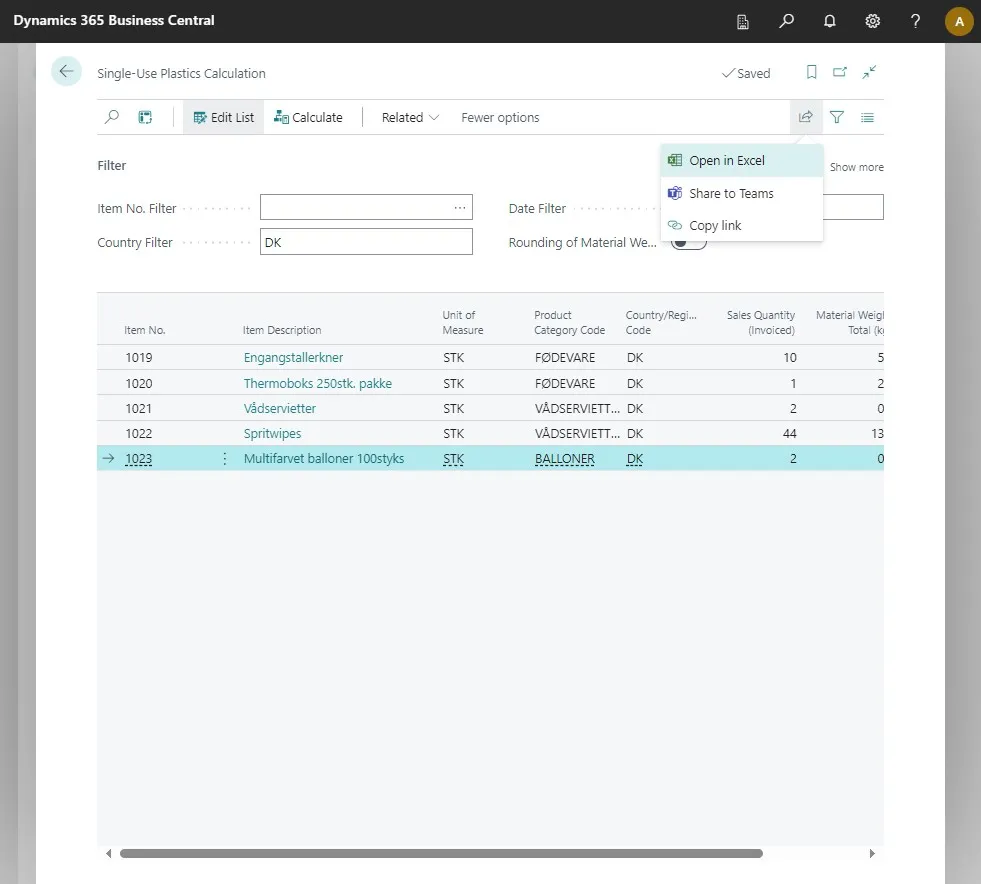
Calculate Single Use Plastics
-
Open your Business Central
-
Click on the search icon or press ALT + Q
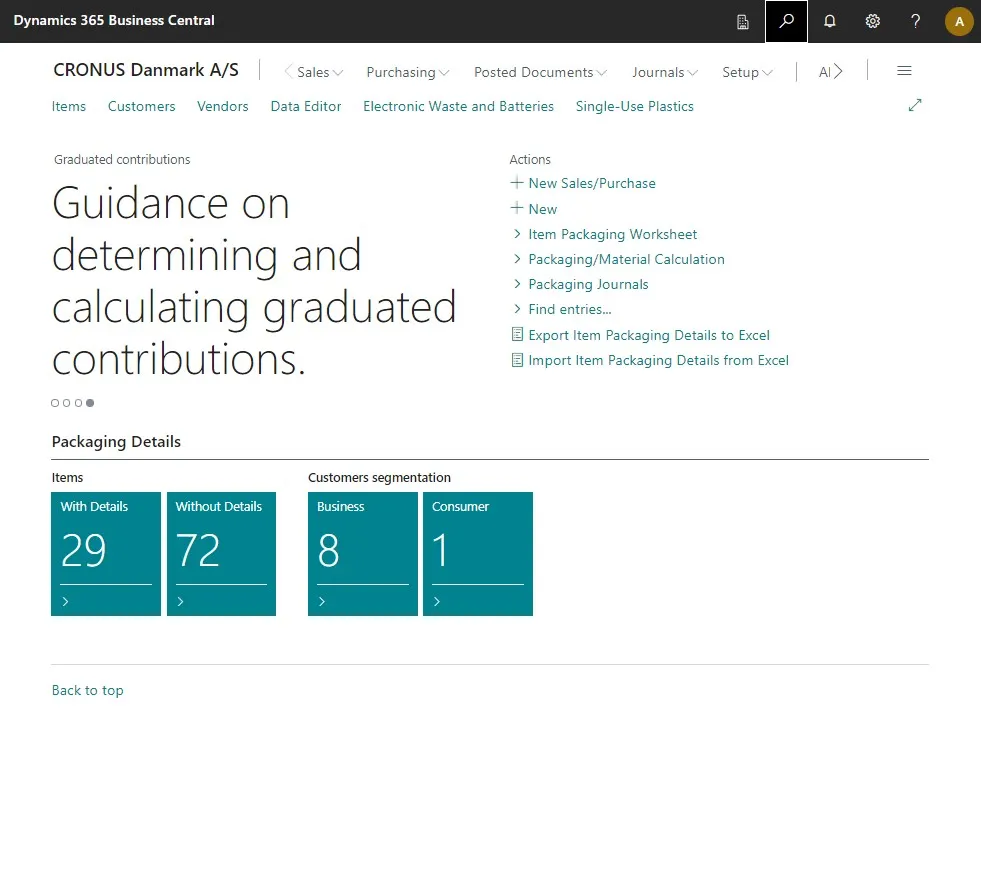
-
Type “Single-Use Plastics” in the search field and select the related link.
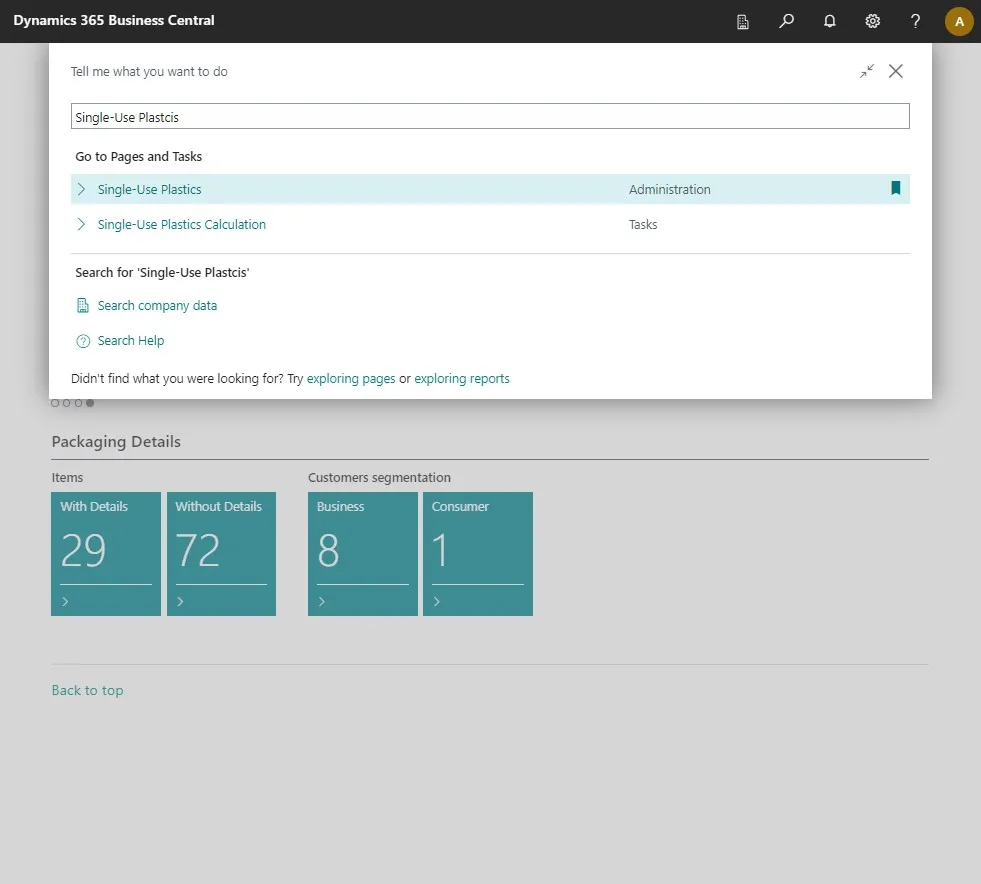
-
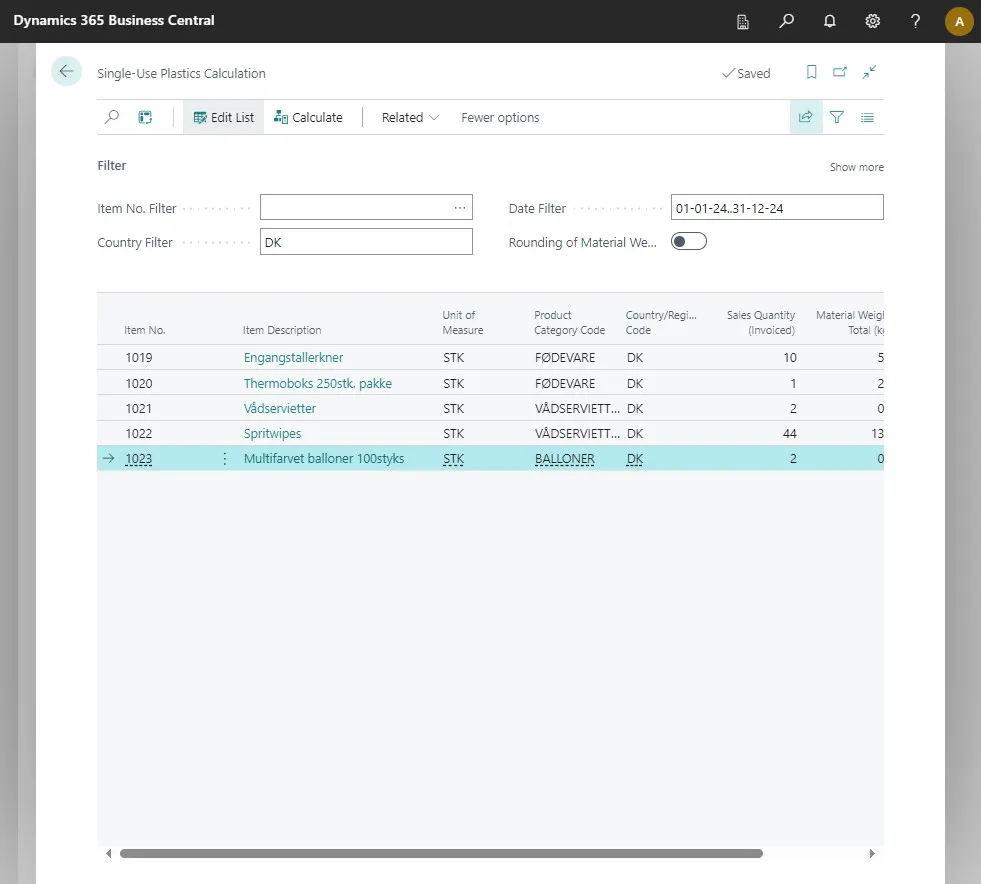
Click on “Single-Use Plastics Calculation”
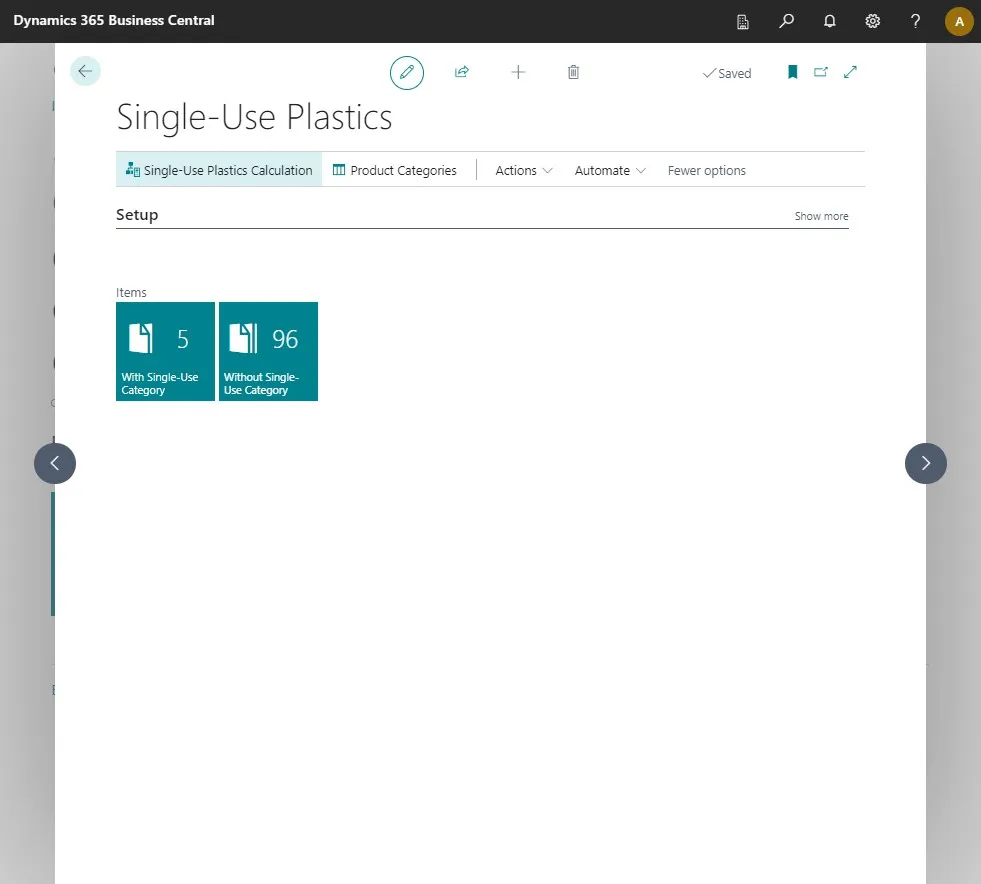
-
Click “Calculate”
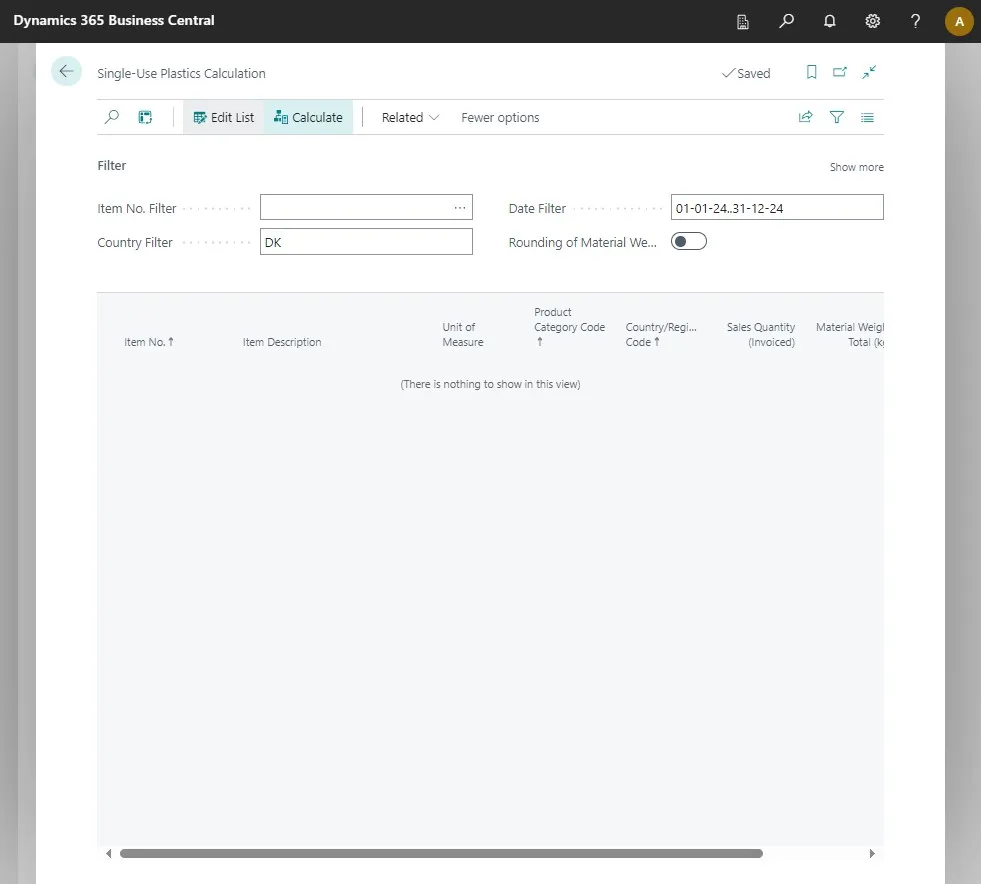
-
This will generate a list of all the single-use plastics you have used.
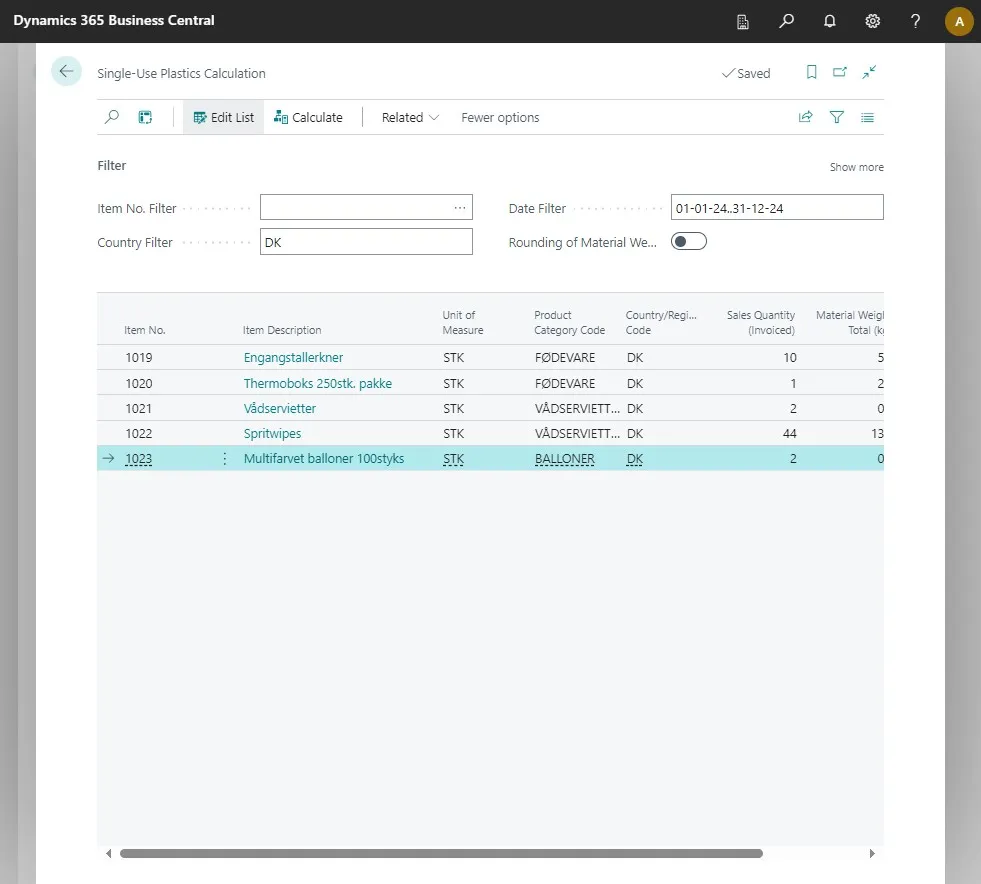
-
You can work with this list if you press the “Analysis mode” at the top of the page.
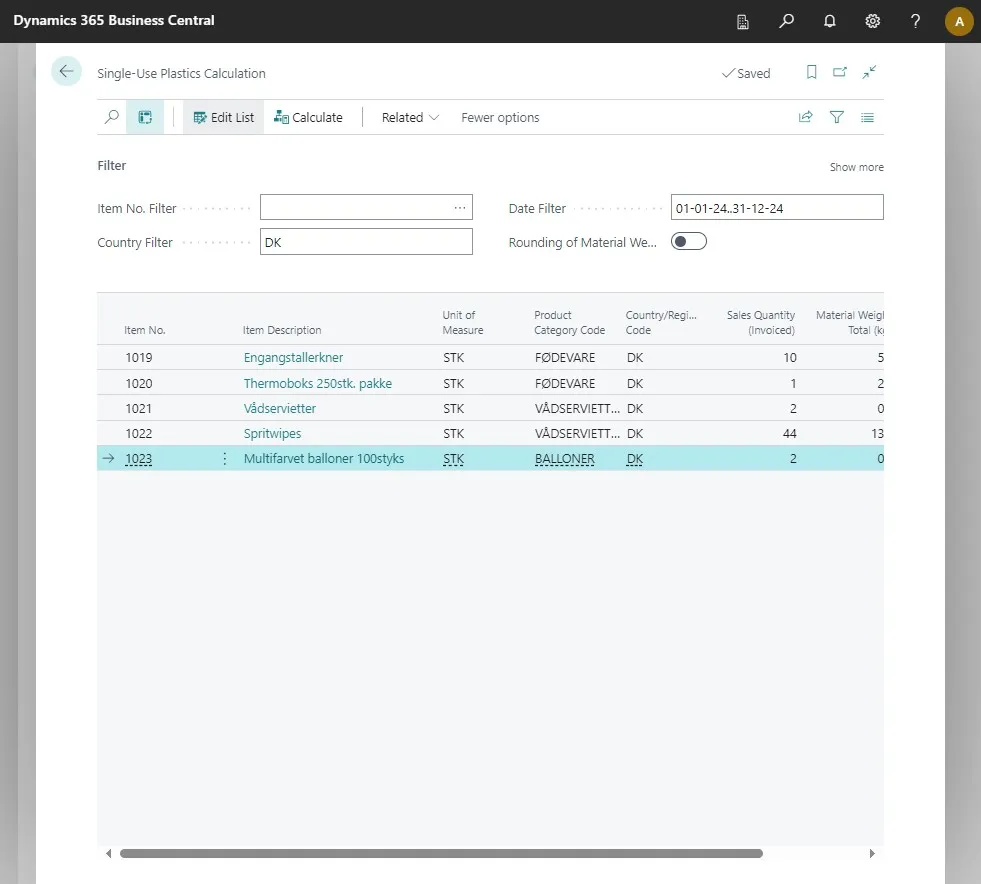
Note: In this view, you can switch to “Pivot mode” and work with the data as needed.
-
To go back, simply press the “Analysis mode” again.
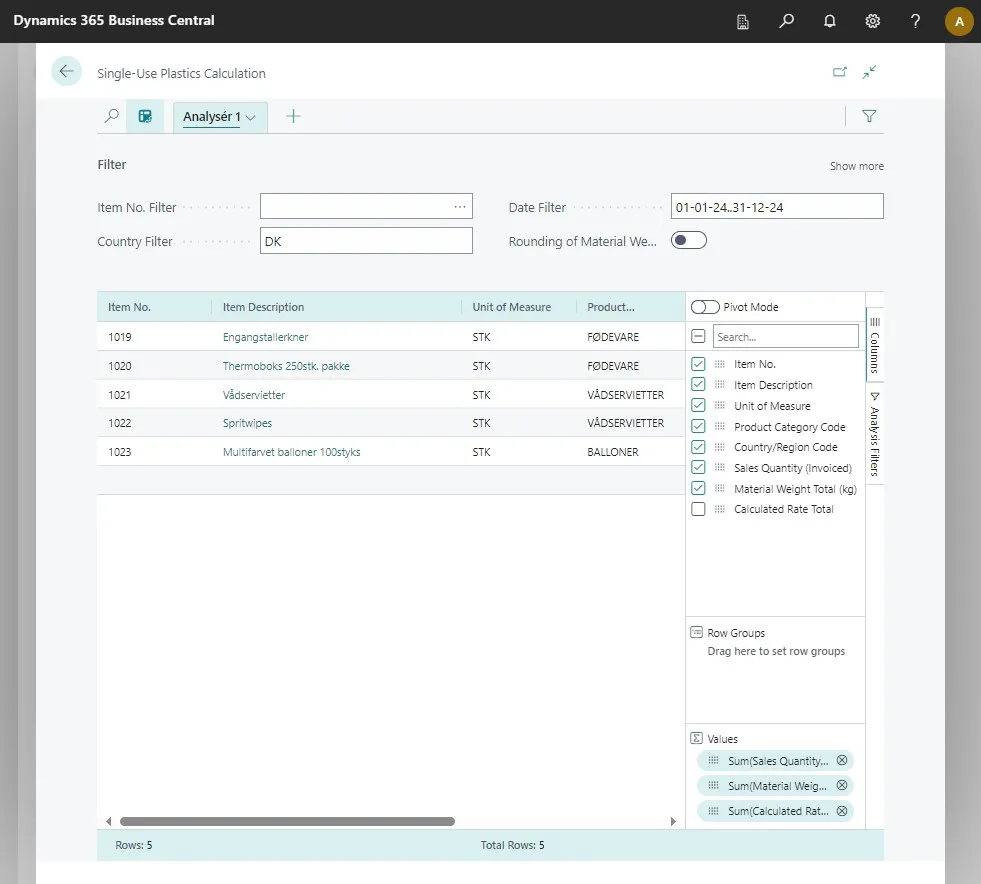
-
To export the list, click on the export button in the top right corner.
-
Click on “Open in Excel” to export it