Copying Items
This function allows you to copy packaging details from one item to multiple others and is useful if you often create new items that have similar packaging.
Please note that this function only allows you to copy and add details to another item, not edit them. This means that if you copy to an item with already existing packaging details, the new details will be added on top of the existing ones and will not replace them.
Change role center:
Section titled “Change role center:”- Select Search (Alt+Q) in the upper-right corner.
- Enter Copy Item Packaing Details, and then choose the related link
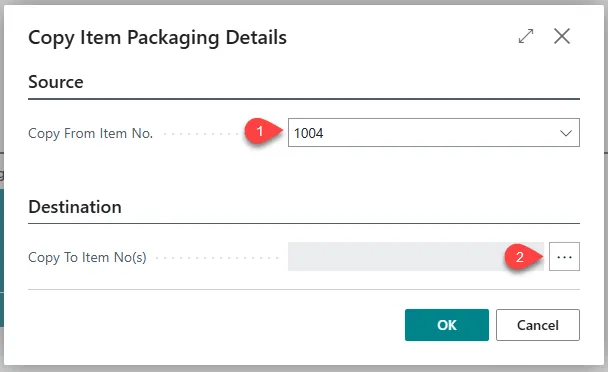
- Select the item you wish to copy out packing details from.
- Select the three dots next to the Copy To Item No(s) Field.
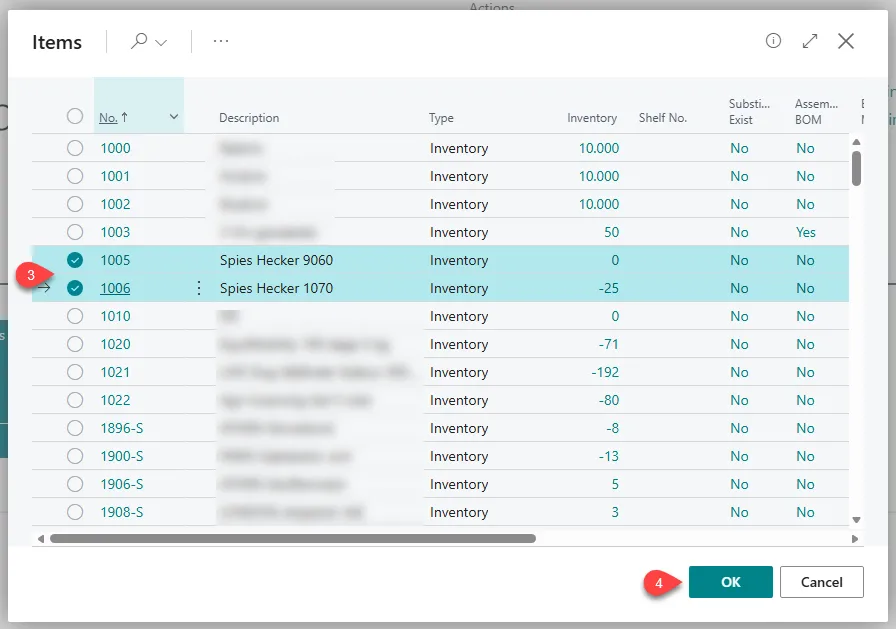
- Select one or more on the list, and select OK.
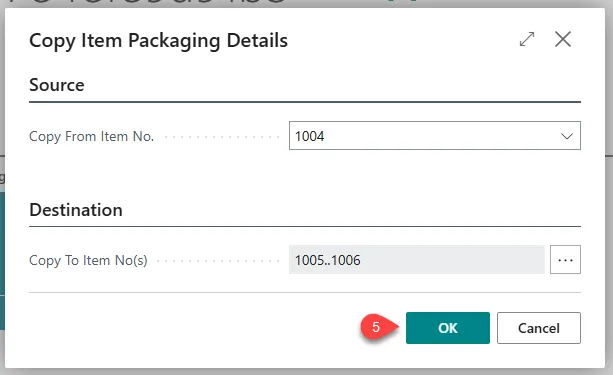
- Once that is done select the OK to finish it.