Assign Packaging Details
Once the setup is complet, its time to add your packaging details to the products. Once you have added the details to your product the system automaticly generates packaging posts each time you sell the product. It is these posts that the system uses to create repports.
Adding packaging details to your product
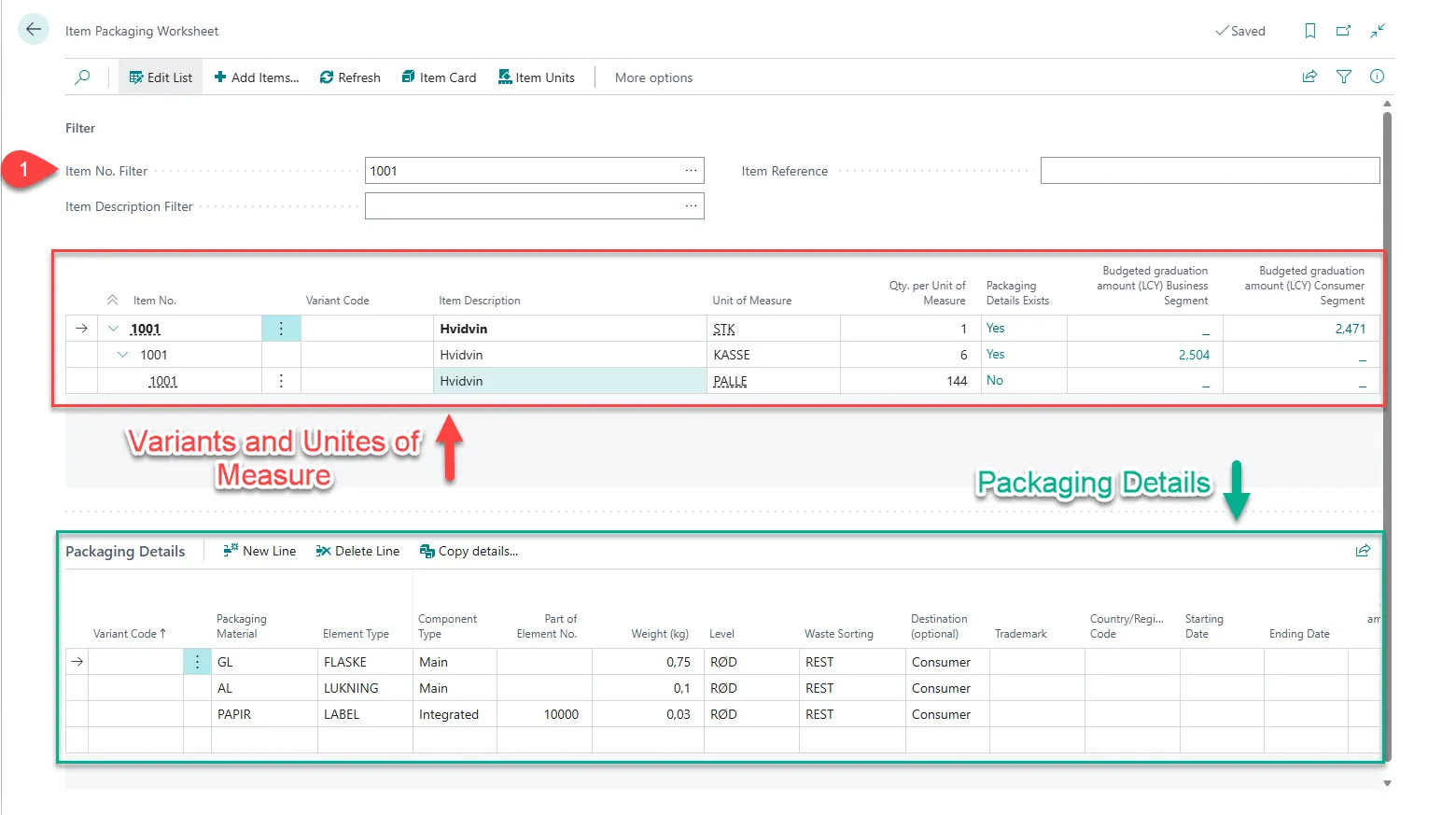
Section titled “Adding packaging details to your product”- Select Search (Alt+Q) in the upper-right corner.
- Enter Item Packaging Worksheet, and then choose the related link.
- Enter the wanted item number in the Item No. Filter Field, or use the 3 dots to find and select the wanted one.
- In the first area of lines you can see the diffrent varrients and unites of measure. Select the one you wish to add details for.
- Under Packaging Details you find the secound area of lines. Select New Line.
- Enter the Packaging details you wish to add to the product.