Assisted Setup
Use the Assisted Setup to configure Extended Producer Responsibility – Packaging. Assisted Setup is currently available only in selected countries. If Assisted Setup is not available for your country, you can configure the system manually to meet local PPWR requirements. For manual configuration, see Manual setup.
Set up the system
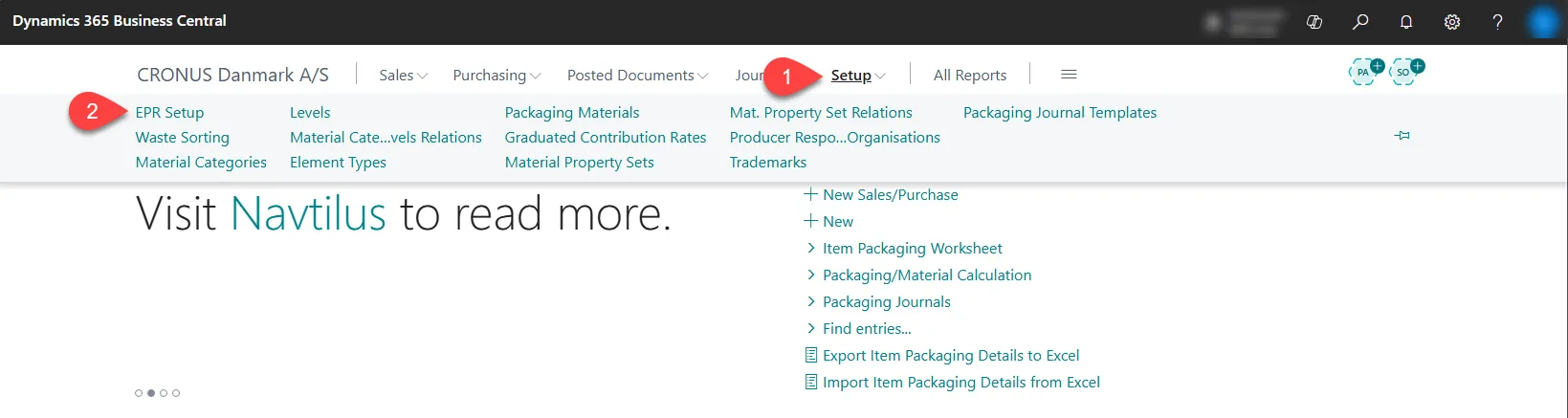
Section titled “Set up the system”- On the Administration of Extended Producer Responsibility – Packaging role center.
- Select EPR Setup.
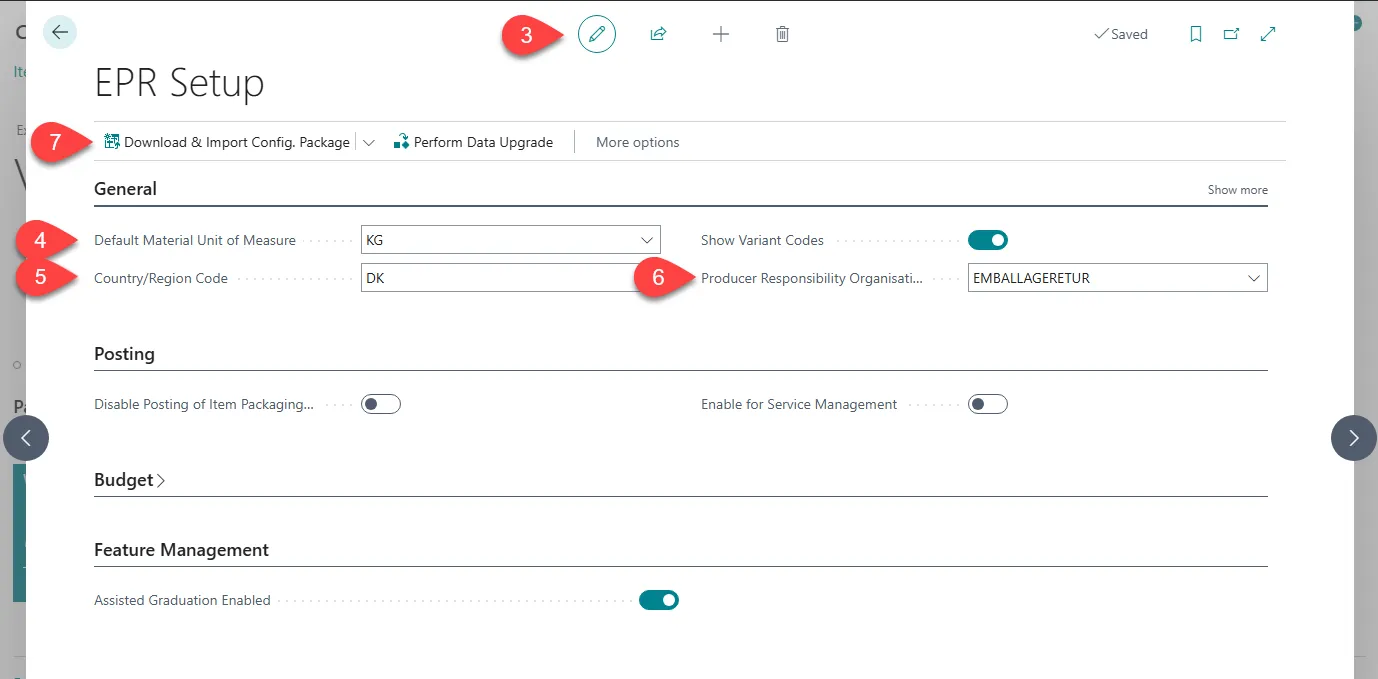
- Select Edit.
- Enter a Unit of Measure (The standard unit of measure is KG).
- Enter the Country/Region Code for the country you operate in.
- In the Producer Responsibility Organisation field, select the relevant organization.
- Select Download & Import Config. Package at the top of the page.
- Select Yes.
- A banner will now apear at the top of the page. Select Use packagage.
Recommended settings
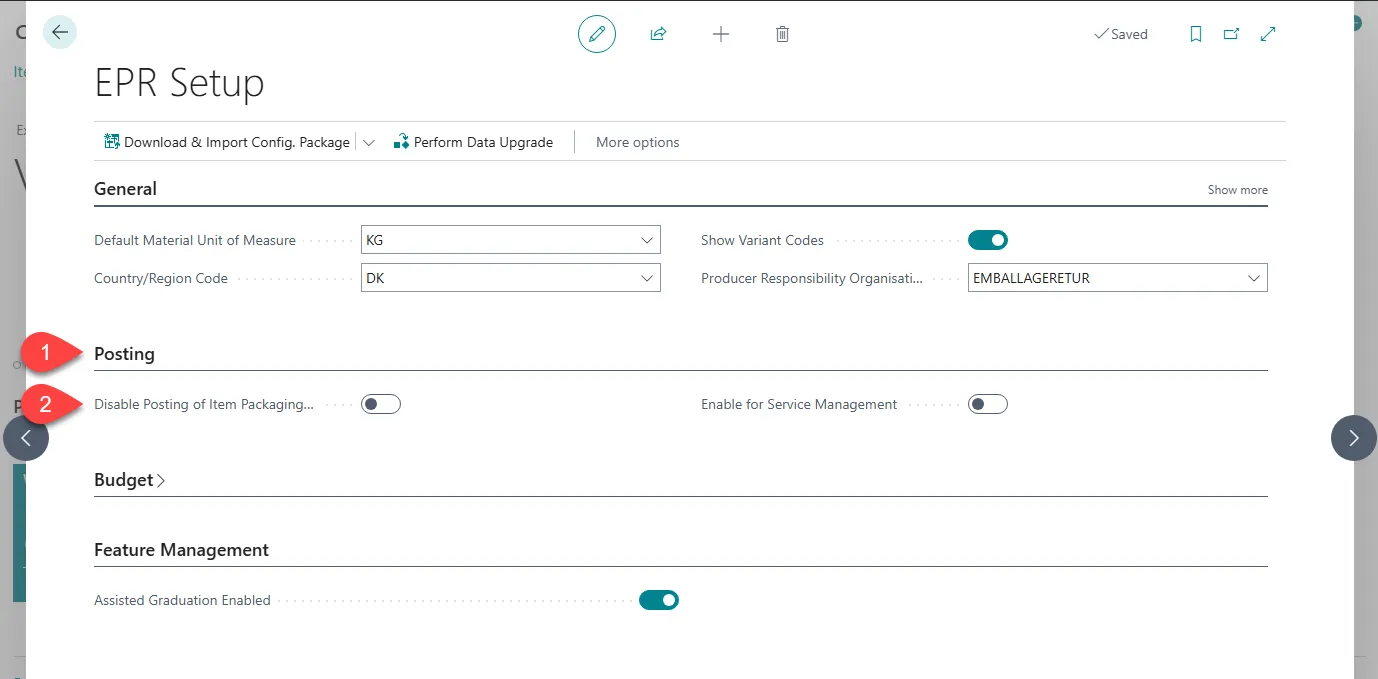
Section titled “Recommended settings”It is recommended to disable posting of item packaging entries at the start of the setup process. This prevents the system from creating entries before all packaging details are fully configured and avoids incomplete posting periods.
- Go to Posting section.
- Select the Disable Posting Items Packaging Entries checkbox.
 After all packaging details are set up, you can clear this checkbox to enable posting and generate correct values.
Assisted Graduation (Denmark)
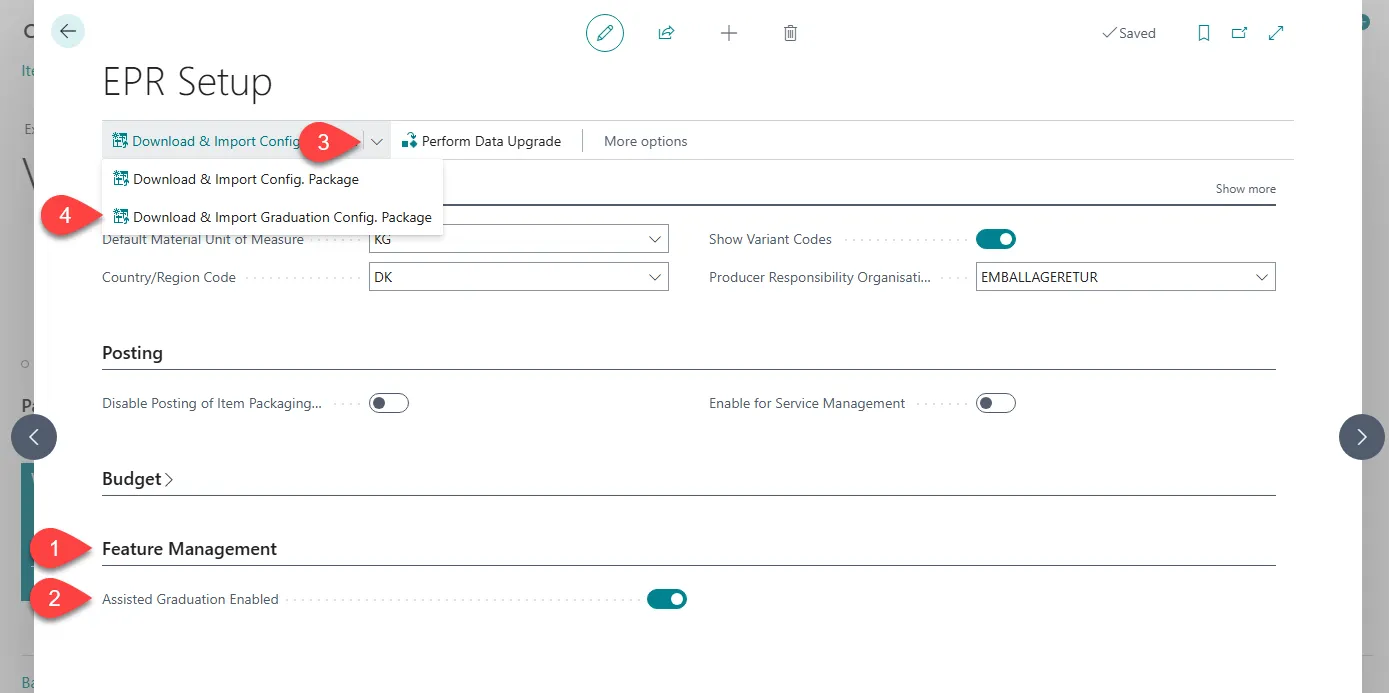
Section titled “Assisted Graduation (Denmark)”If you have purchased the Assisted Graduation add-on, enable it in Feature Management.
- Go to Feature Management section.
- Select the Assisted Graduation Enabled checkbox.
- Select the arrow next to Download & Import Config. Package.
- Select Download & Import Graduation Config. Package
- Select Yes.
- A banner will now apear at the top of the page. Select Use packagage.