

Introduction
This extension for Business Central allows you to register, administrate, and export your packaging details inside Business Central, helping you fulfill your PPWR regulations.
Before starting this guide, you must ensure that your users are assigned the proper licenses and user permission sets to avoid any errors during daily tasks in Business Central. If you have not already done this, we recommend that you go to Permissions and start there.
In this section, we will introduce how to change your role center and how to use it afterwards.
Change role center:
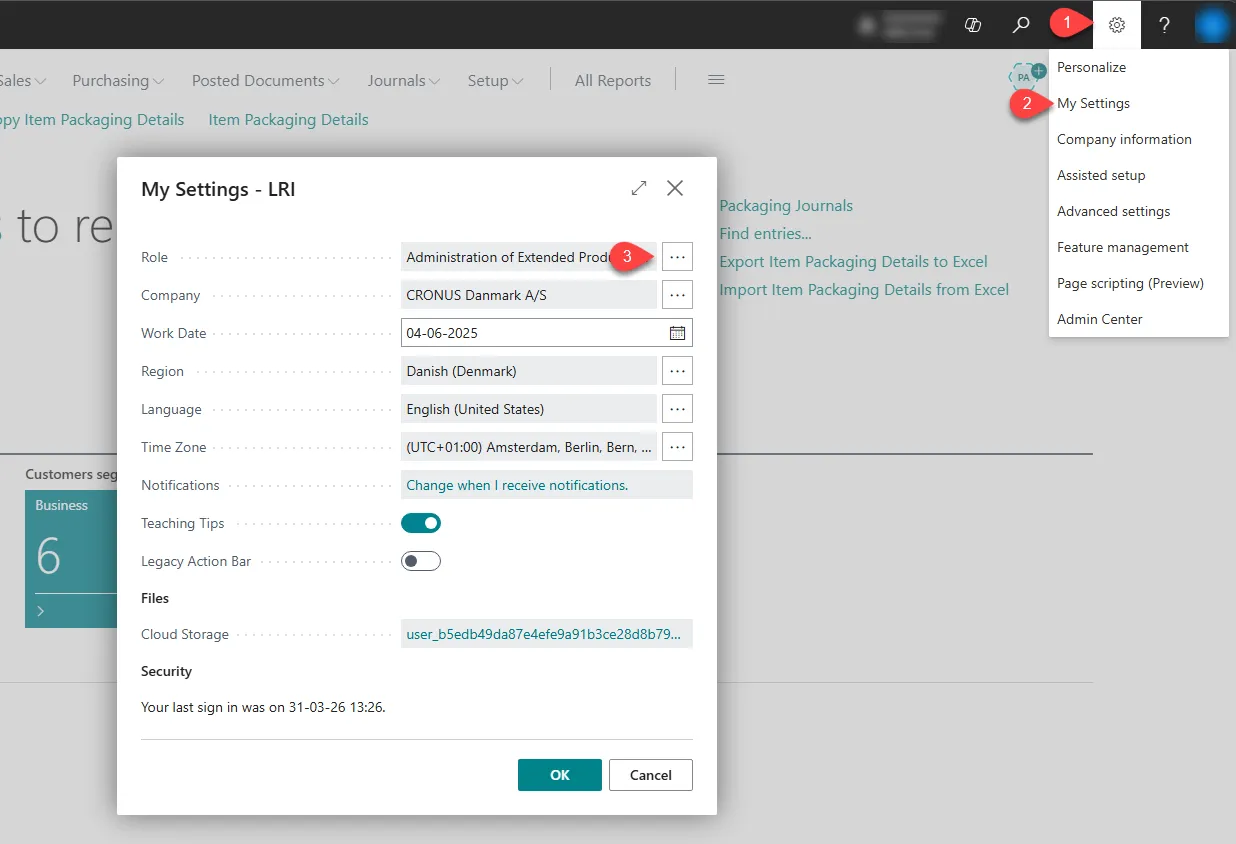
Section titled “Change role center:”- Select Settings at the top right corner.
- Select My Settings.
- Select the three dots next to the Role field.
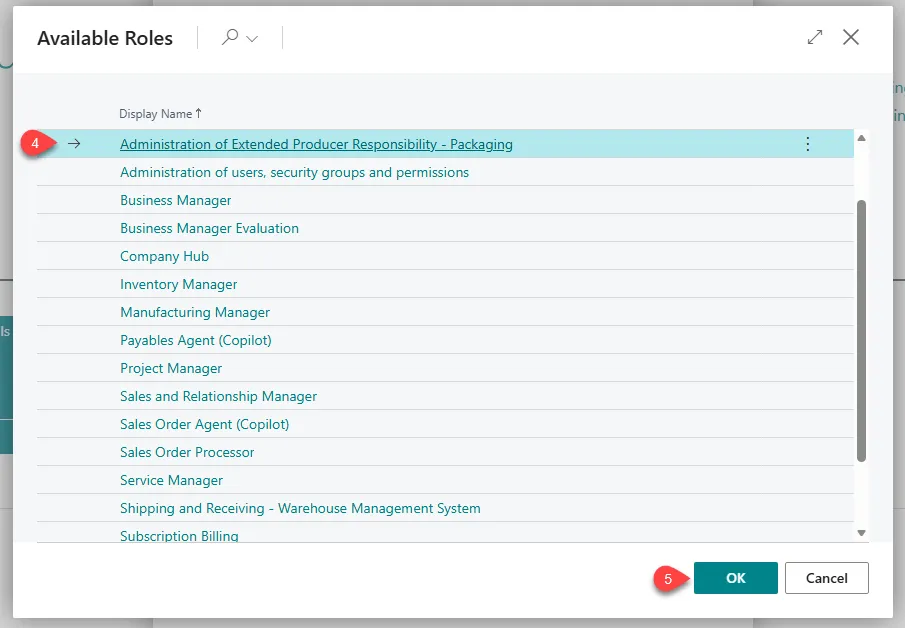
- Select Administration of Extended Producer Responsibility - Packaging.
- Select OK at the bottom.
Description of the Role Center
Section titled “Description of the Role Center”The Role Center functions as any other Role Center inside Business Central and is recommended to be used by the people handling the company’s PPWR data, as it provides the necessary functions to get started with the solution.
In the picture below, you will see a Role Center with a Green Box, Purple Box, Blue Box, and a Red Box. Below the picture, there is a description of each box and its functionality.
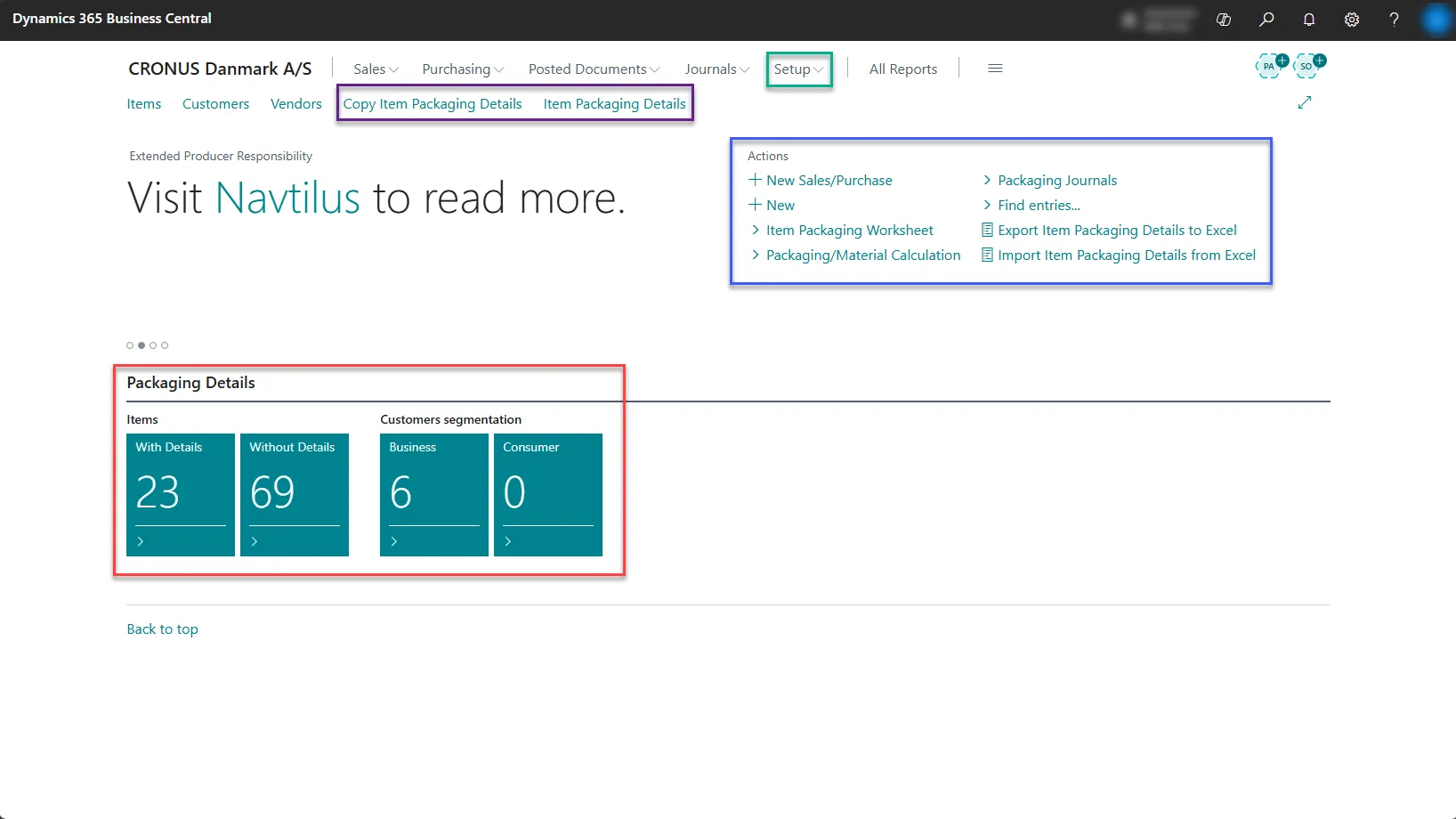
- The Green Box: This box marks the Setup functions. If you click on this, you open a banner with different setup settings needed to make this extension function properly.
- The Blue Box: The Blue box marks the most standard functions for the extension and are the ones you are going to use the most.
- You have the Item Packaging Worksheet, which allows you to add packaging details to your items inside Business Central.
- You also have Packaging Material Calculation, which allows you to calculate, create, and export packaging detail reports.
- Packaging Journals, function like any other journal inside Business Central, but for packaging.
- Find Entries… allows you to look up posted packaging details.
- Export Item Packaging Details to Excel, allows you to filter and export all your items to Excel, where you can add your packaging details to the document.
- Import Item Packaging Details from Excel, allows you to import Excel documents with packaging details. It only accepts the same format as the document that was exported.
- The Red Box: This one presents 4 tiles that provide a quick assessment of how many items have details, how many do not, and what their destinations are. Clicking on these tiles opens a new list where you can dive deeper into the information.
- The Purple Box: The Purple box presents functions we recommend users bookmark once they start adding their packaging details to the system.
- The first function, Copy Item Packaging Details, allows you to copy your packaging details from one product to multiple others. It does not, however, copy standard item details like units of measure, so if two items do not have the same units of measure, it cannot copy the packaging details.
- Second is Item Packaging Details. This function allows you to mass edit packaging details across items inside Business Central, and also allows you to edit them in Excel.