

Packaging Journals
This journal allows you to post new and correct already existing packaging entries inside Business Central, just like a normal financial journal.
Some also use this journal to handle transport packaging, as this can often vary from delivery to delivery. For example, instead of trying to calculate how much stretch wrap your warehouse uses for each pallet - or instructing employees to wrap pallets a specific number of times — you can use this journal to register actual consumption. In this example, a company can create stretch wrap as an item in Business Central, allowing them to keep track of inventory. If you start the month with 12 rolls of wrap and only have 6 left at the end, you can use this journal to register the consumption and include it in your packaging report.
Correcting packaging details:
Section titled “Correcting packaging details:”- Select Search (Alt+Q) in the upper-right corner.
- Enter Packaging Journals, and then select the related link.
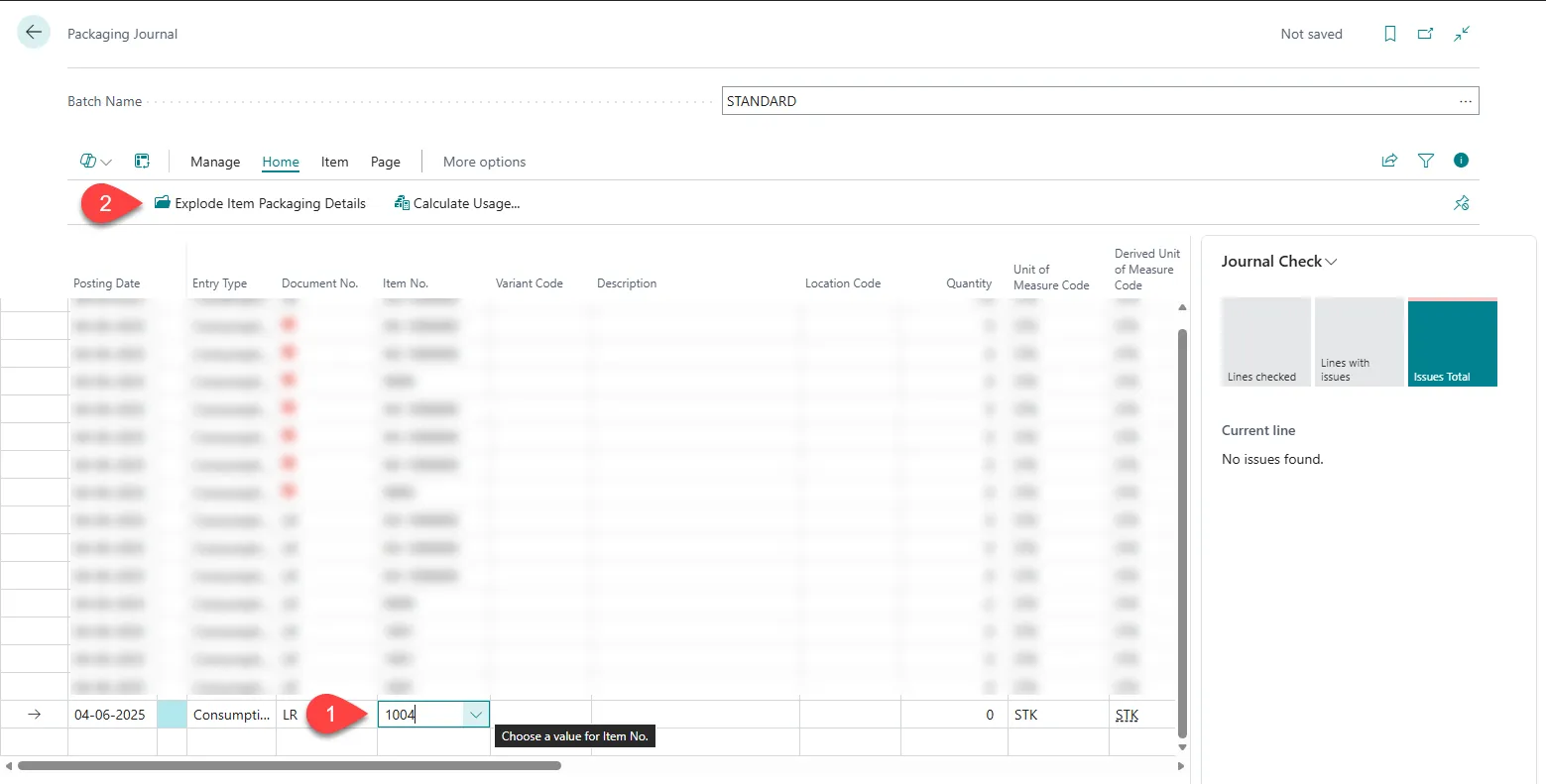
- Select a new line and enter the Item No.
- Select Explode Item Packaging Details.
- This unfolds additional lines with the packaging details; change what needs to be updated.
- Select Post
Stretch wrap:
Section titled “Stretch wrap:”- Select Search (Alt+Q) in the upper-right corner.
- Enter Packaging Journals, and then select the related link.
- Select a new line and enter Strech wrap in the Item No.
- Set the Entry Type of the line to Consumption.
- Enter the amount that has been used.
- Select Post.