

Power Platform Integration
Dette indhold er ikke tilgængeligt i dit sprog endnu.
SimpleAPI is also compatible with Power Apps, which allows the users to subtract data directly from Business Central and into their Power Apps. The instructions to setup this connection can be seen below.
-
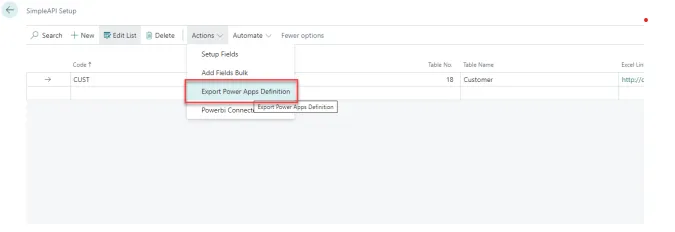
Go to the search bar in your Business central and search for “SimpleAPI Setup”.
-
Go to “More options” -> “Actions” -> “Export Power Apps Definition”.
-
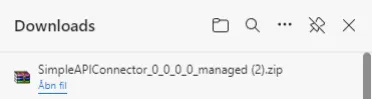
This will start a download of a .zip file.
-
When the .zip file has been downloaded. Go to the Power Apps website.
-
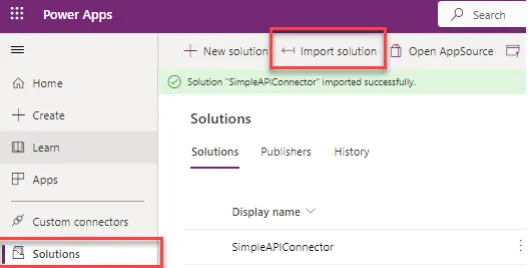
Click on “Solutions” -> “Import solution” -> “Browse”.
-
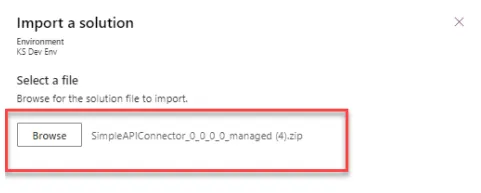
Find and select the downloaded file you just downloaded.
-
Click on “Next”.
-
Click on “Import”.
-
Find the SimpleAPIConnector in your list of solutions.
-
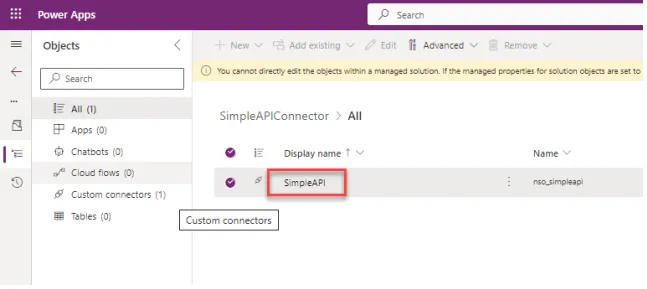
Click on the name of the app (Under Display name).
-
Inside the solution, click on the name once again.
-
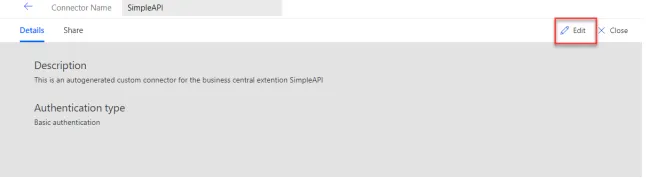
Once the App is opened in Power Automate, click on the “Edit” the connector.
-
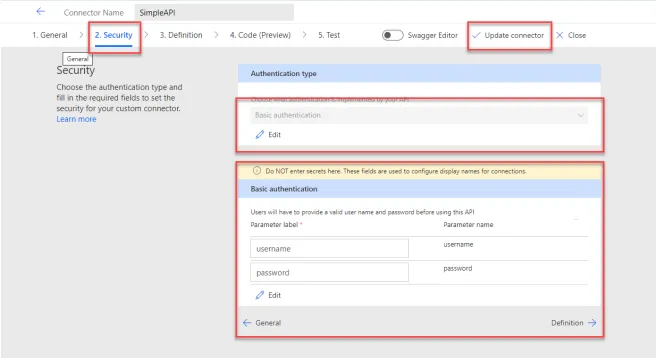
Go to the page called “2. Security”
-
Fill in the Security tab with the Basic authentication or OAuth 2.0.
-
Finally click on the “Update Connector” button top update the Connector.
-
From here the connector is ready to use.
Note: This connector will change when the setup in BC is changed and this flow needs repeating for the connector to be current.