Tildel emballageoplysninger
Når opsætningen er fuldført, er det tid til at tilføje dine emballageoplysninger til produkterne. Når du har tilføjet oplysningerne til dit produkt, genererer systemet automatisk emballageposter, hver gang du sælger produktet. Det er disse poster, som systemet bruger til at oprette rapporter.
Tilføj emballageoplysninger til dit produkt
Sektion kaldt “Tilføj emballageoplysninger til dit produkt”- Vælg Søg (Alt+Q) i øverste højre hjørne.
- Indtast Vareemballage-kladde, og vælg derefter det relaterede link.
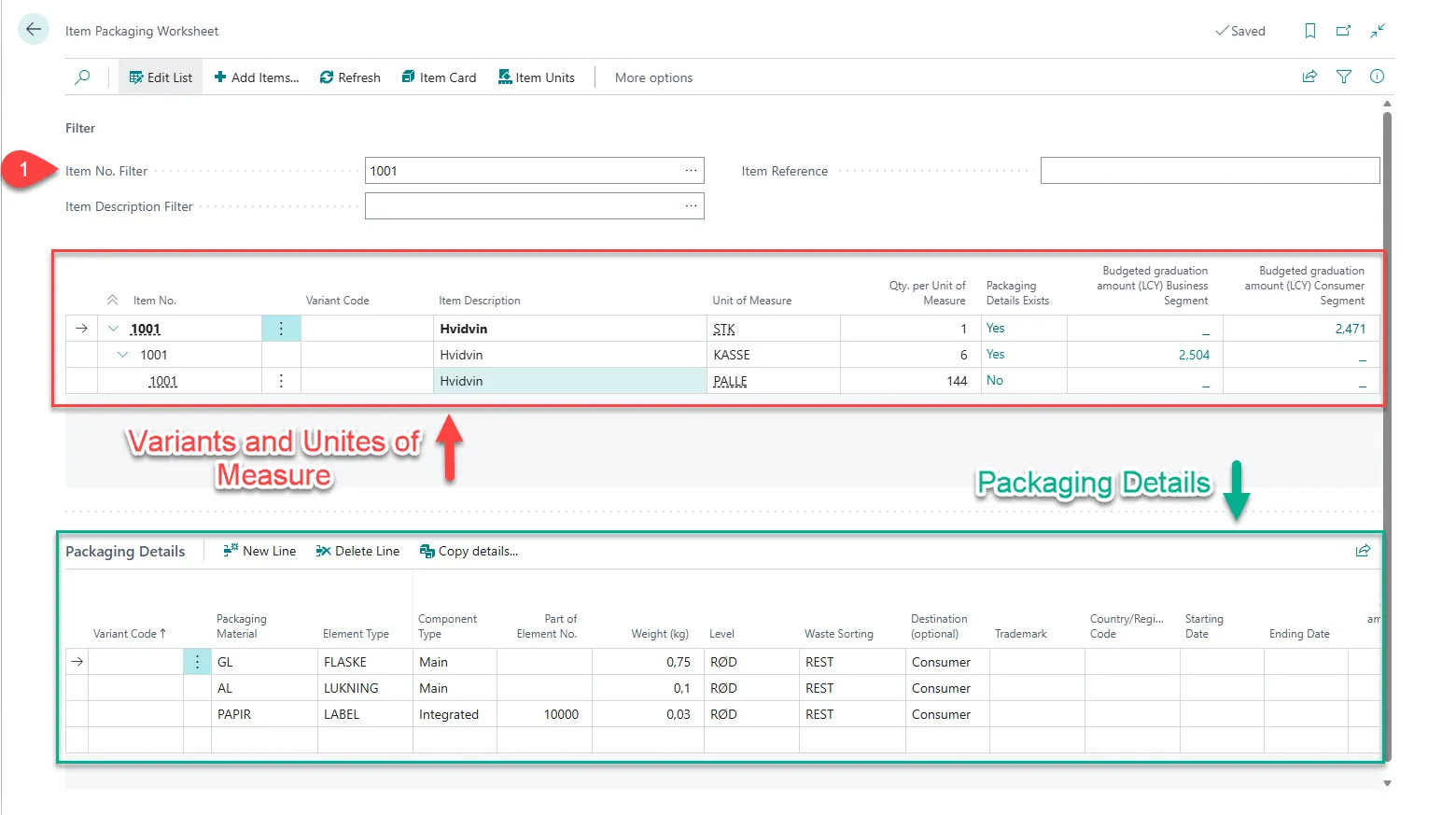
- Indtast det ønskede varenummer i feltet Varenr.-filter, eller brug de 3 prikker til at finde og vælge det ønskede.
- I det første linjeområde kan du se de forskellige varianter og måleenheder. Vælg den, du ønsker at tilføje oplysninger for.
- Under Emballageoplysninger finder du det andet linjeområde. Vælg Ny linje.
- Indtast de emballageoplysninger, du ønsker at tilføje til produktet.