

Redigering
Masseredigering af emballageoplysninger
Sektion kaldt “Masseredigering af emballageoplysninger”Denne funktion giver dig mulighed for at masseredigere dine emballageoplysninger i Business Central, eller alternativt rette dem i en Excel-fil. Det er den eneste funktion, der giver dig mulighed for at redigere mere end én vare ad gangen.
Bemærk venligst, at denne funktion er et ret kraftfuldt værktøj og potentielt kan ødelægge dine data, hvis den ikke bruges korrekt.
Redigering af emballageoplysninger i Business Central:
Sektion kaldt “Redigering af emballageoplysninger i Business Central:”- Vælg Søg (Alt+Q) i øverste højre hjørne.
- Indtast Vareemballageoplysninger, og vælg derefter det relaterede link.
- Vælg Rediger liste.
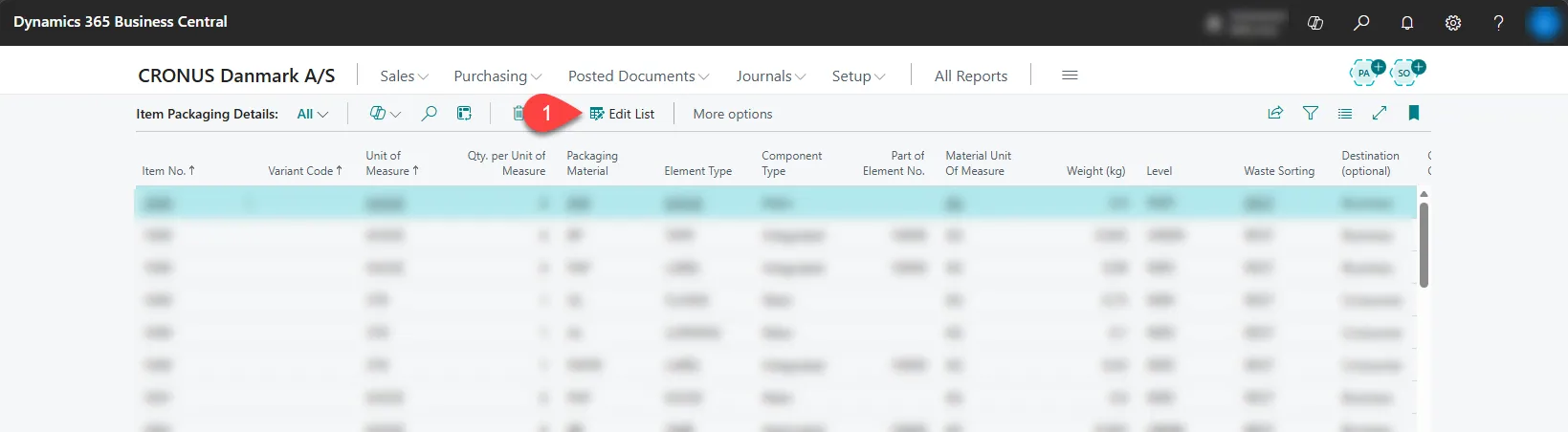
- Begynd at redigere.
Redigering af emballageoplysninger i Excel:
Sektion kaldt “Redigering af emballageoplysninger i Excel:”- Vælg Søg (Alt+Q) i øverste højre hjørne.
- Indtast Vareemballageoplysninger, og vælg derefter det relaterede link.
- Vælg ikonet for Del denne side med andre brugere eller apps (Boks med en pil).
- Vælg Rediger i Excel.
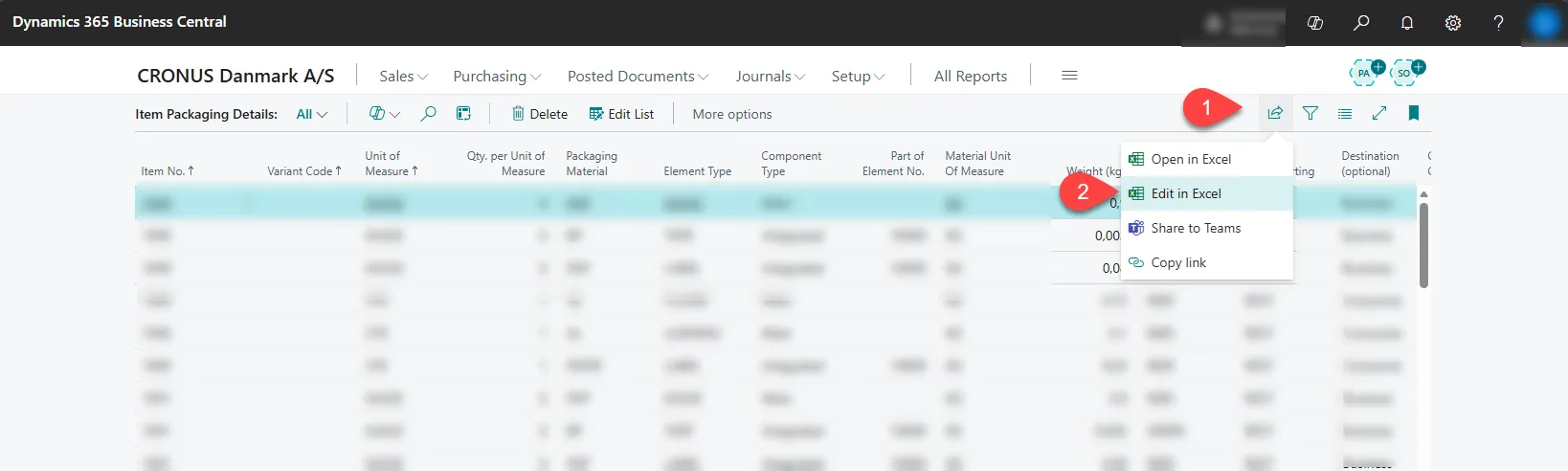
- Begynd at redigere.