

How To Install
How to install Mandatory Fields
Section titled “How to install Mandatory Fields”Use this procedure to install the Mandatory Fields extension from AppSource in Microsoft Dynamics 365 Business Central. Before you begin
- You must have permission to install extensions in Business Central.
Setp 1: Install the extension
Section titled “Setp 1: Install the extension”-
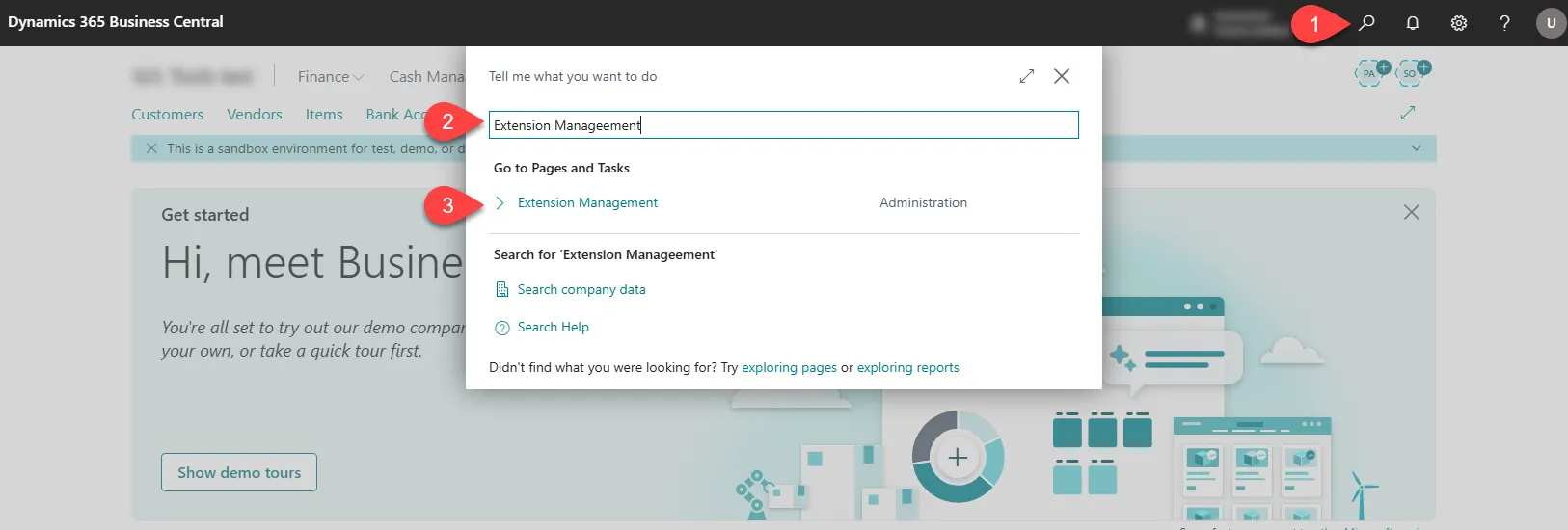
Select Search (Alt+Q) in the upper-right corner,.
-
Enter Extension Management, and then choose the related link.
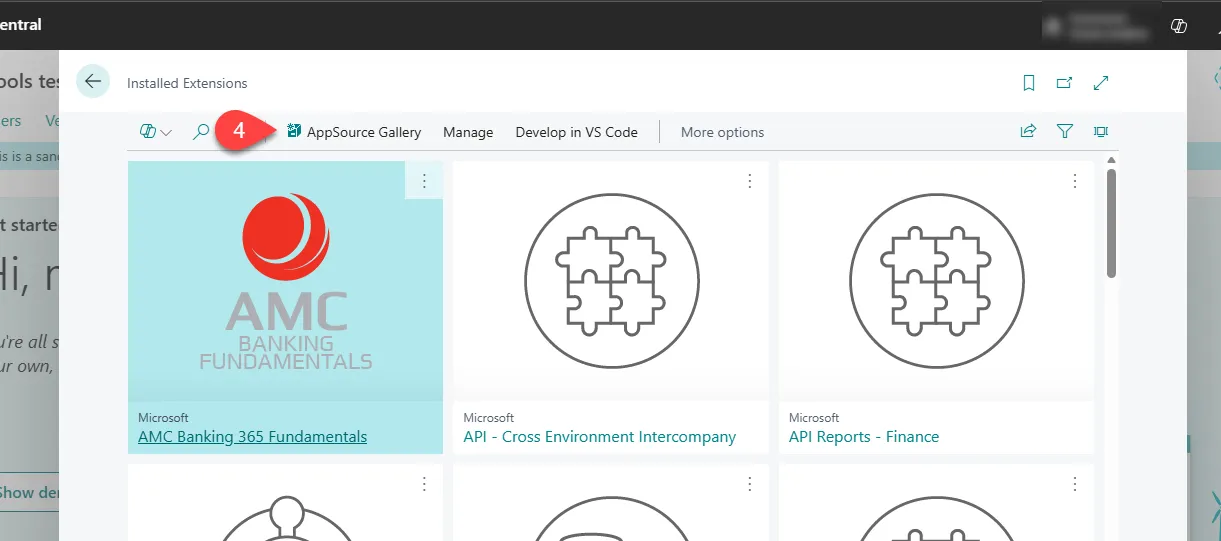
- On the Extension Management page, select AppSource Gallery.
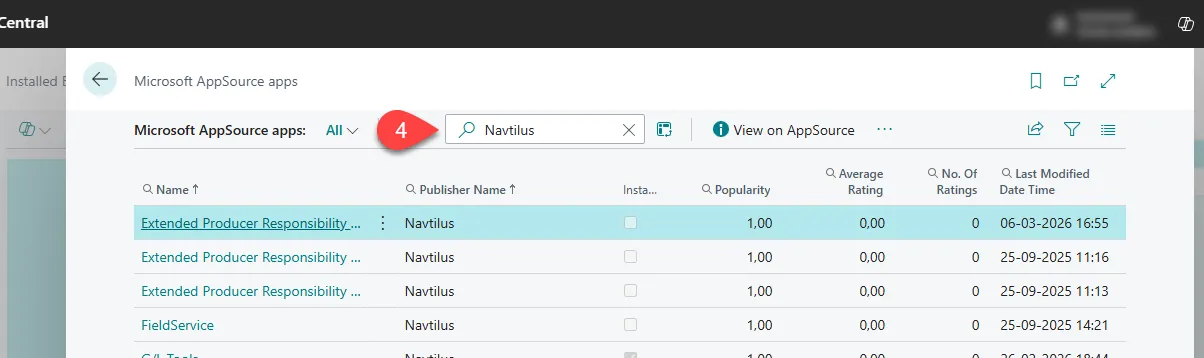
- In the AppSource gallery, open Search, enter Navtilus.
-
Choose the app you want to install.
-
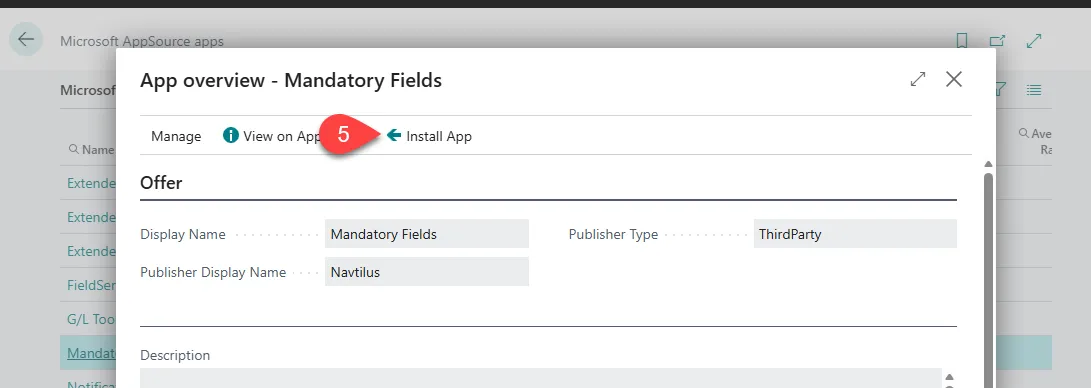
Select Install App.
- Select Install.
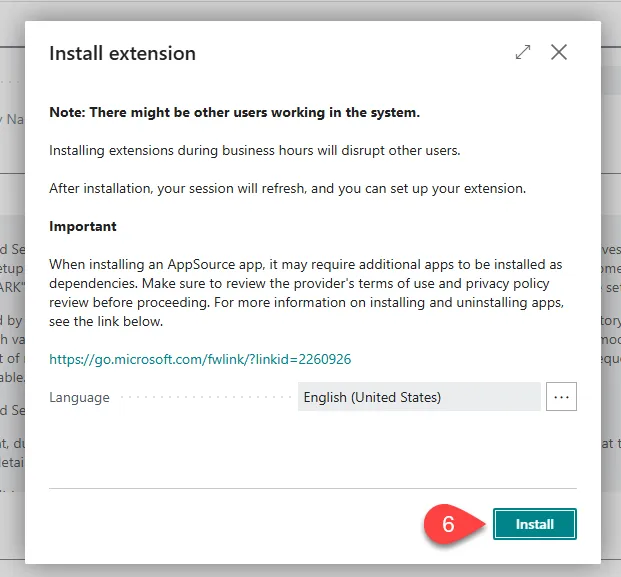
Wait a few minutes while the extension is installed. After installation is complete, the extension appears on the Extensions page.